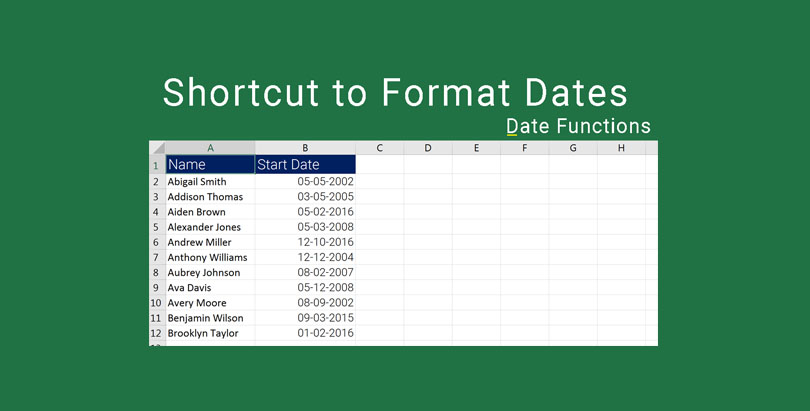

Excel Date Format Shortcut. In this video, you will learn how to use a handy excel date shortcut to format dates. This shortcut is going to prove a real lifesaver for you when you are dealing with a set of long range of dates especially in the situations where you are unaware of the format.
You may sometimes come across set of data where the dates may be in a different format according to that particular location and your location may be different and according to that, you might interpret the date in a different manner.
For example, a date that is written as 03/12/2017 can be really confusing. You can interpret it in both ways, i.e., 12th of March or 3rd of December. This is going to really confuse you and while working with Excel, you sometimes are in a time crunch and you really need to figure that thing quickly without changing the actual standard format that is provided.
Use the technique shown in this video and practice as much as you can in case you get stuck, do not hesitate to write a comment in hello and I’ll be happy to help you with handy Excel shortcuts and much more.
Don’t forget to watch the next video in which I will demonstrate how to calculate the sum of times. I hope you are enjoying the Excel learning series and are making good use of it.
Click on the following button to download the file used in the demo to practice along with us.
We hope you find this post useful. In case you are stuck and or need help, feel free to drop a comment below or submit your question. Do share it further and add your feedback about the article in the comments section.
Excel Learning Series – TOC
- Excel 2016 – Basics – Find Sum, Average, Min and Max
- Excel 2016 Difference Between Formulas and Functions
- Excel 2016 Copy Formulas or Functions
- Microsoft Excel Auto Fill
- Excel 2016 Manage Views using Freeze Panes
- Microsoft Excel – Saving Workbooks
- Excel Upper and Lower Text Functions
- Excel 2016 – Text Function – Proper
- Excel Text Functions – Trim Function
- Excel – Text Function Left Function
- Excel Text Function – Right Function
- Excel Text Functions – MID Function
- Excel Concatenate Text Function
- Excel Nested Functions
- Excel Search Function
- Excel – Calculate Age using Date Function Today
- Calculate Tenure in Excel with Days Function
- Autofill Dates in Excel
- Formatting Dates in Excel
- Excel Date Format Shortcut
- Calculating Sum of Time in Excel
- Calculate Expiry Date in Excel 2016 – EDATE
- Find Age or Tenure using DATEDIF in Excel 2016
- RandBetween – Generate Random Dates in Excel 2016
- Excel Weekday Function
- Excel WeekNum and ISOWeekNum Functions
- Excel Networkdays and Excel Networkdays.INTL
- Excel Workday and Workdays INTL Functions
- Excel DATEVALUE AND TIMEVALUE
- Calculate Time Difference in Excel
- Calculate Quarter in Excel
- Rounding Day, Hour and Minutes in Excel
- Excel Pay Rate and Downtime Cost Calculation
- Excel Logical Functions IF, AND, OR
- Calculate Bonus in Excel Using IF Function
- Excel Learning – SumIF and SumIFS
- How to use Excel Count Functions
- How to use VLOOKUP in Excel
- How to vLookup in a different workbook in Excel
- VLookup for Multiple Sheets with Example
- Excel Custom Quarters
- Vlookup Return Custom Value
- Vlookup Based on Dropdown Selection
- HLookup in Excel
- Locate information using Match Function in Excel
- Converting Numbers to Words in Excel with VBA: A Step-by-Step Guide
- Excel Drop Down List Multiple Selection
- Show The Time Difference In Excel In Minutes Only
- Excel 2016 – Basics – Find Sum, Average, Min and Max
- Excel 2016 Difference Between Formulas and Functions
- Excel 2016 Copy Formulas or Functions
- Microsoft Excel Auto Fill
- Excel 2016 Manage Views using Freeze Panes
- Microsoft Excel – Saving Workbooks
- Excel Upper and Lower Text Functions
- Excel 2016 – Text Function – Proper
- Excel Text Functions – Trim Function
- Excel – Text Function Left Function
- Excel Text Function – Right Function
- Excel Text Functions – MID Function
- Excel Concatenate Text Function
- Excel Nested Functions
- Excel Search Function
- Excel – Calculate Age using Date Function Today
- Calculate Tenure in Excel with Days Function
- Autofill Dates in Excel
- Formatting Dates in Excel
- Excel Date Format Shortcut
- Calculating Sum of Time in Excel
- Calculate Expiry Date in Excel 2016 – EDATE
- Find Age or Tenure using DATEDIF in Excel 2016
- RandBetween – Generate Random Dates in Excel 2016
- Excel Weekday Function
- Excel WeekNum and ISOWeekNum Functions
- Excel Networkdays and Excel Networkdays.INTL
- Excel Workday and Workdays INTL Functions
- Excel DATEVALUE AND TIMEVALUE
- Calculate Time Difference in Excel
- Calculate Quarter in Excel
- Rounding Day, Hour and Minutes in Excel
- Excel Pay Rate and Downtime Cost Calculation
- Excel Logical Functions IF, AND, OR
- Calculate Bonus in Excel Using IF Function
- Excel Learning – SumIF and SumIFS
- How to use Excel Count Functions
- How to use VLOOKUP in Excel
- How to vLookup in a different workbook in Excel
- VLookup for Multiple Sheets with Example
- Excel Custom Quarters
- Vlookup Return Custom Value
- Vlookup Based on Dropdown Selection
- HLookup in Excel
- Locate information using Match Function in Excel
- Converting Numbers to Words in Excel with VBA: A Step-by-Step Guide
- Excel Drop Down List Multiple Selection
- Show The Time Difference In Excel In Minutes Only